 raft
raftHow a 19-agent code review made me watch my Claude quota
I ran two multi-agent code reviews back to back — Claude Code's "ultracode" mode — and watched a chunk of my weekly limit disappear without ever seeing it go. The first review fanned out 31 agents across one PR; the second, 19. Each agent chewed through 50–80k tokens. The output, honestly: unreadable. Lots of volume, very little I could use. And I had no real-time sense of what it was costing me until I went looking.
This is how I got that visibility back: first the /usage command, then a status line that keeps the number in front of me all day.
1. What burned the quota: multi-agent reviews
Claude Code can run a code review as a fan-out of independent agents instead of a single pass. On a PR about gapless HLS playback (#1458), the review ran five phases — Review, Verify, Critic, VerifyCritic, Synthesize — starting with four independent reviewers (security, backend, frontend, tests/perf), then adversarially verifying each finding. 31 agents, about seven minutes.
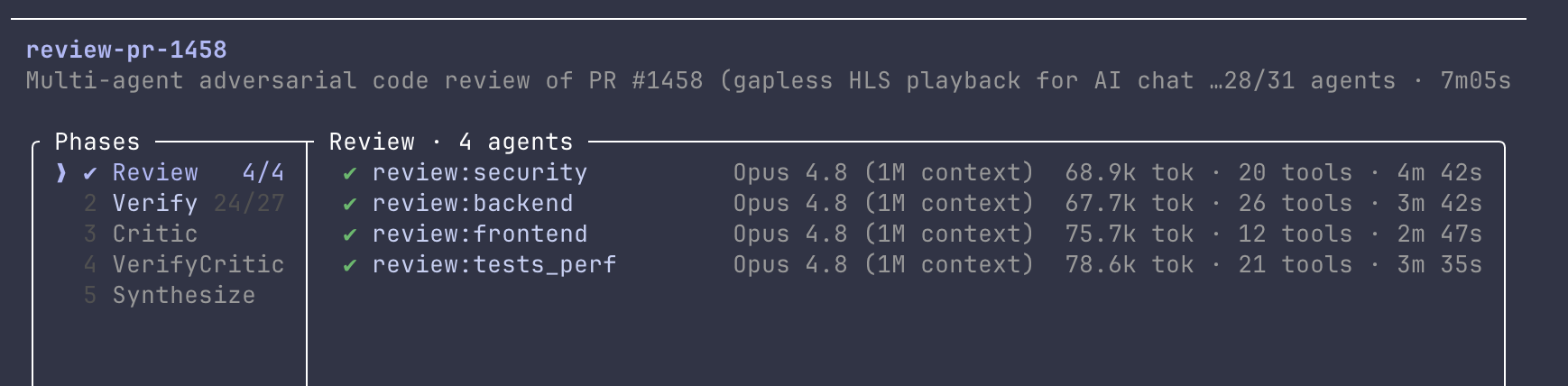
The second one, a ruby_llm migration (#1504), went wider: seven dimensions, each finding cross-examined by three skeptics. 19 agents.
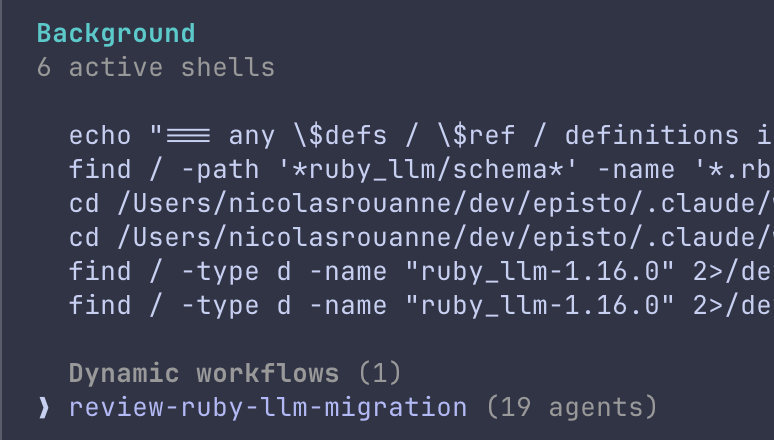
Claude is upfront about the cost before you launch:
Dynamic workflows can use a lot of tokens quickly by running
many subagents in parallel — which counts against your usage limit.
A lot of spend for not much — and worse, spend that is invisible while it's happening.
2. The on-demand view: /usage
Type /usage and you get the authoritative picture — two rolling windows:
Current session      ███████░░░   60% used    Resets 7:30pm (Europe/Paris)
Current week (all)   █░░░░░░░░░   13% used    Resets Jun 26 at 1am (Europe/Paris)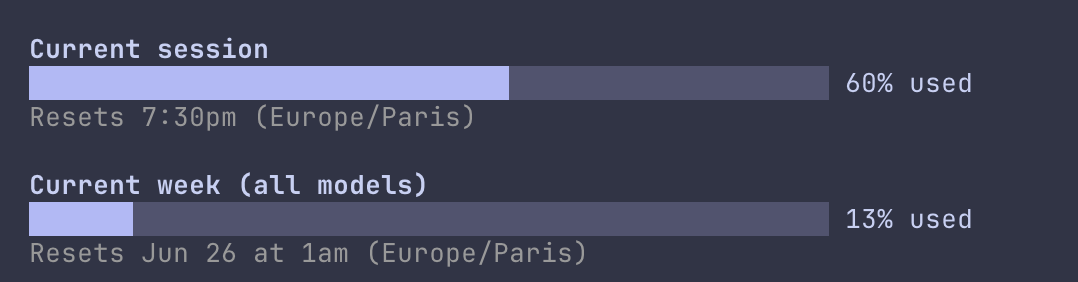
"Current session" is a 5-hour window; "Current week" spans all models. These percentages come from Anthropic's side — they're the real number, not a local guess. After my two reviews, the session bar was the one that had moved. More in Manage costs.
But /usage is a manual, on-demand command: you have to stop, type it, read the bars, close it. Nobody does that every two minutes — least of all right before launching something heavy. So you find out you're running low the moment you think to check, which is usually too late: the 19-agent review has already started. What you actually want is the number in front of you all the time, without typing anything.
3. Why third-party tools can't show the real number
The go-to tool for this is ccusage: a small open-source CLI (npx ccusage) that reads the JSONL log files Claude Code writes locally and reconstructs your consumption — cost per session, per day, per 5-hour window, even a live burn rate. It's perfect for answering "what is Claude Code costing me."
But it works off your local logs and a pricing table: it estimates dollars, it doesn't know your subscription's real limit. So it can't tell you the percentage you have left. That quota, server-side, is exposed in just two places: the /usage command, and a rate_limits block that Claude Code hands to your status line:
"rate_limits": {
  "five_hour": { "used_percentage": 60, "resets_at": 1782322200 },
  "seven_day": { "used_percentage": 13, "resets_at": 1782428400 }
}
4. Always-on: a usage status line
Claude Code feeds your status line script a JSON payload on every update, and that payload now carries the rate_limits block above.
Where does that number come from? It lives server-side — which is exactly why ccusage can't see it — and rides back to Claude Code with the API response. The path:
Anthropic's servers → API response (carries the rate limit)
   → Claude Code reads it
   → injects it into the status line's stdin JSON
   → your statusline.sh renders it
That's also why the block shows up only after the first exchange of the session, and only on Pro/Max plans: before any API call there's simply no number to pass yet. A small script turns it into a bar at the bottom of the terminal:
Opus 4.8 (1M context) session █████░░░ 60% ↻7:30pm week █░░░░░░░ 13% ↻Jun 26 1am ctx 6%
Wiring it up is two settings keys:
"statusLine": {
  "type": "command",
  "command": "~/dev/claude/config/statusline.sh",
  "padding": 0
}
Now the same numbers /usage shows are in front of me all day — so the next time a 19-agent review is about to run, I can see how much room I actually have.
Wait — this already existed (twice)
The hand-written statusline.sh was the first thing I reached for. Classic instinct: see a number I want, write the script. The problem is I'd reinvented the wheel — again, on two fronts.
First, the official status line docs already ship a copy-paste example (Bash, Python, Node) under "Rate limit usage" that parses the same rate_limits block. It renders plain text — 5h: 23% 7d: 41% — bars aside, the parsing was already written for me.
Second, a community tool already draws the bars. ccstatusline ships "Session Usage" and "Weekly Usage" widgets that read the exact same block, in bar mode, with themes and reset timers out of the box. So I swapped my script for it:
npx ccstatusline@latestThen I added the two usage widgets in bar mode and pointed it at my config. Same numbers, none of the maintenance.
One catch: ccstatusline's native reset widget only prints 06-26. To get a human Jun 26 for the week and a time-only 7:30pm for the session, I dropped a one-line date call into its custom-command widget. So a sliver of script crept back. The wheel was never perfectly round.

The real number, in front of me all day — now via a tool that already did the work.
What's still pending
- The bar refreshes on conversation activity (status lines update when messages change), not on an idle timer — sit still and it won't tick.
- Reset times are absolute, so they don't count down live; they flip to the next window when it rolls over.
ccusagestill earns its place for dollar-cost tracking; this status line is only about the subscription percentage.- And the honest one: this only works because Claude exposes
rate_limitsto the status line at all. If that ever goes away,/usageis the fallback — there's no public API for the number.